
How to Sign a PDF Online for Free (Electronic Signature Guide 2026, No Watermark)
Quick Summary:
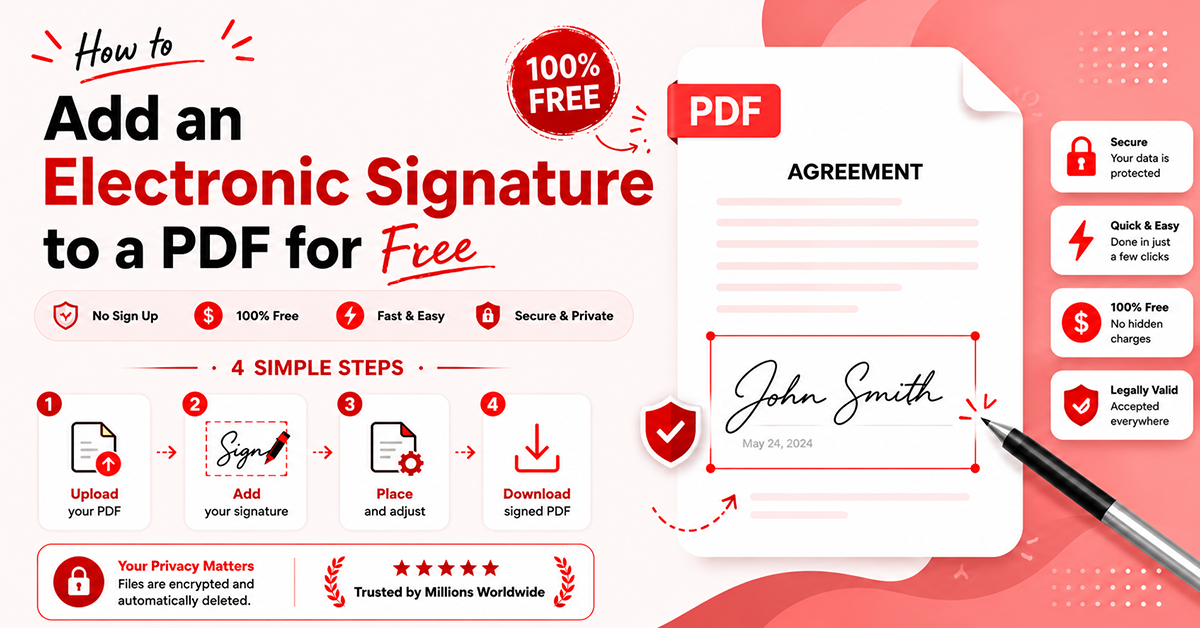
The process takes four steps. Upload your PDF up to 100 MB, create your signature by drawing, typing in a script font, or uploading an image, drag it into place and add a date stamp, then download with no watermark and no sign-up.
Electronic signatures are legal for most business and personal documents like leases, offer letters, NDAs, and forms. Wills, court orders, and notarized documents can still need a handwritten signature.
An electronic signature is the broad act of signing. A digital signature uses a certificate and encryption to verify identity, which suits high-value or regulated financial and legal documents.
Before signing a sensitive PDF, check whether the file stays private and is deleted quickly, whether the export is watermark-free, whether it produces a flattened file that cannot be edited after signing, and whether it records a date stamp as proof.
After signing, flatten or re-export the file so the signature locks into the page and cannot be altered later.
Adding an electronic signature to a PDF is easy; just upload your PDF file, and create your signature via drawing, upload or typing. Thereafter, download the signed PDF. No account creation or software installation is required with most free browser tools.
Electronic signatures are now widely accepted for most business as well as personal documents. Their usage is found in agreements, forms, and contracts. They save a significant amount of time for users by eliminating the need for physical printing and scanning.
Today, most individuals prefer the best online PDF editors for signing documents. The reason is they are quick, mobile-friendly, and completely free to use. You will be surprised to know that the global e-signature market is projected to grow from $7.04 billion in 2025 to $24.5 billion by 2030 as per the Mordor Intelligence report. These increasing numbers clearly show how standard digital signing has become all over the globe.
In this blog post, you’ll learn exactly how electronic signatures work, whether they are legally valid, and the easiest way to sign a PDF online for free.
What Is An Electronic Signature, And Is It Legally Valid?
For daily paperwork, electronic signatures are legally acceptable in most nations.
The E-Sign Act of 2000 and the UETA (Uniform Electronic Transactions Act) in the United States provide electronic signatures the same legal authority as handwritten signatures if the purpose is clear.
In the EU and UK, e-signatures are governed by the eIDAS Regulation, which also acknowledges their legal validity for most commercial as well as personal documents.
But there are few cases in which documents still may need a handwritten signature. For instance, wills, court orders, and notarized documents.
What Is the Difference Between an Electronic Signature and a Digital Signature?
An electronic signature is the broad act of signing. A digital signature based on a certificate that employs encryption to authenticate the signer’s identity and to identify any alterations.
For leases, offer letters, NDAs, and school forms, electronic signatures are acceptable. A digital signature with a certificate and an audit trail is suitable for high-value or regulated documents. They are specifically required for financial or legal transactions.
Best Way to Sign a PDF Online (Step-by-Step)
The fastest and best way is using a browser-based tool that doesn't require any installation. To add signature to PDF documents, use a free sign PDF tool such as The PDF Edit:
Step 1 Upload
First upload or drag and drop your PDF file to be signed, with a maximum 100 MB limit.
Step 2 Create Your Signature
You can create an electronic signature for PDF documents via three options. Draw with the cursor, type with script fonts, or upload an image of your handwritten signature from your device memory. Our tool also allows you to adjust ink color as well as thickness for a more professional look.
Step 3 Place and Resize
Place your signature anywhere in the document by dragging. You can resize it and put a date stamp for proof.
Step 4 Download
No watermark, no account creation, ready to send.
Tip: After signing, flatten or re-export the file. This locks the signature into the page so it cannot be edited later.

Also Read- https://thepdfedit.com/blog/what-is-the-best-free-pdf-editor-online-features-to-look-for-in-2026
What Are Benefits of a Free Online PDF Signer?
Free online signers have real advantages over paid desktop software:
Free to use: allows you to sign a number of documents as per your need, with no license to buy.
Nothing to install: the dependable tool runs in almost all browsers, so software setup is not required.
Works on any device: the single tool allows you to sign from various devices, including a laptop, tablet, or phone.
No upload wait: the file opens swiftly, so the whole process takes just a few seconds.
That said, free tiers do come with a few limits worth knowing:
When picking the best PDF editor online free, it is imperative to keep three things in mind:
Look for a tool that lets you sign, fill, as well as edit in one place, not switch between tools.
A plethora of tools offers an online PDF editor with no sign-up flow. This means you can sign and download without creating an account.
You do not need a paid subscription to add a signature to a PDF without Adobe; a reliable browser-based signer does it for free.
Also Read- https://thepdfedit.com/blog/how-do-i-compress-pdf-files-online-fast-free-and-without-losing-quality
What Should You Check Before Signing A Sensitive PDF Online?
What matters most is not the signature button, but what happens to your file afterward.
From hands-on experience, four checks matter most:
Privacy
Does the file stay in your browser or upload to a server, and how soon is it deleted?
Watermark
Can you export a signed PDF online free with no watermark copy, which looks far more professional?
Tamper resistance
Does it produce a flattened file that cannot be edited after signing?
Proof
Can the tool provide a date stamp or record showing when the document was originally signed?

Conclusion
Adding an e-signature to a PDF is fast, free, and legally recognized in 2026. But you should pick a tool that keeps your file private and gives clean output every time. Give a try to our best free online PDF editor and e-signing tool: The PDF Edit. It enables you to sign, fill, and edit documents in one place.
FAQs
Is it legal to sign a PDF electronically?
Yes. Electronic signatures are legally valid under the U.S. E-Sign Act, UETA, and eIDAS in the EU/UK for most documents.
Is a typed signature legally valid?
Yes. A typed name is a valid electronic signature if you intend to sign. For higher-security documents, drawn or certificate-based signatures are preferred.
How do I create an electronic signature?
You can type your name (select font), draw your signature using a cursor/touchpad, or upload an image of it using a free PDF signing tool.
How do I sign a PDF without printing it?
Upload your PDF to an online tool, add your signature, and download it. No printing or scanning is required.
How do I add a signature to a PDF on a phone?
Open a browser tool, upload the PDF, sign using your finger or text, and then download the signed file.
Can I edit a PDF after signing it?
Yes, until you flatten or export it. Thereafter, the signature is locked and should not be modified.
Can I sign a Word document?
Yes. First convert it to a PDF, then sign it using a free online PDF signing tool.
Can I sign a PDF without creating an account?
Yes, a plethora of tools like The PDF Edit allow you to upload, sign, and download PDFs without login or registration.
Is it safe to sign documents online for free?
Yes, in case the tool processes files securely, deletes them quickly, and gives a watermark-free locked output.
Related PDF Tools
Ready to Try These Tools?
All PDF Converter tools are free, require no signup, and process files directly in your browser for maximum privacy.