
How Do I Compress PDF Files Online Fast, Free and Without Losing Quality
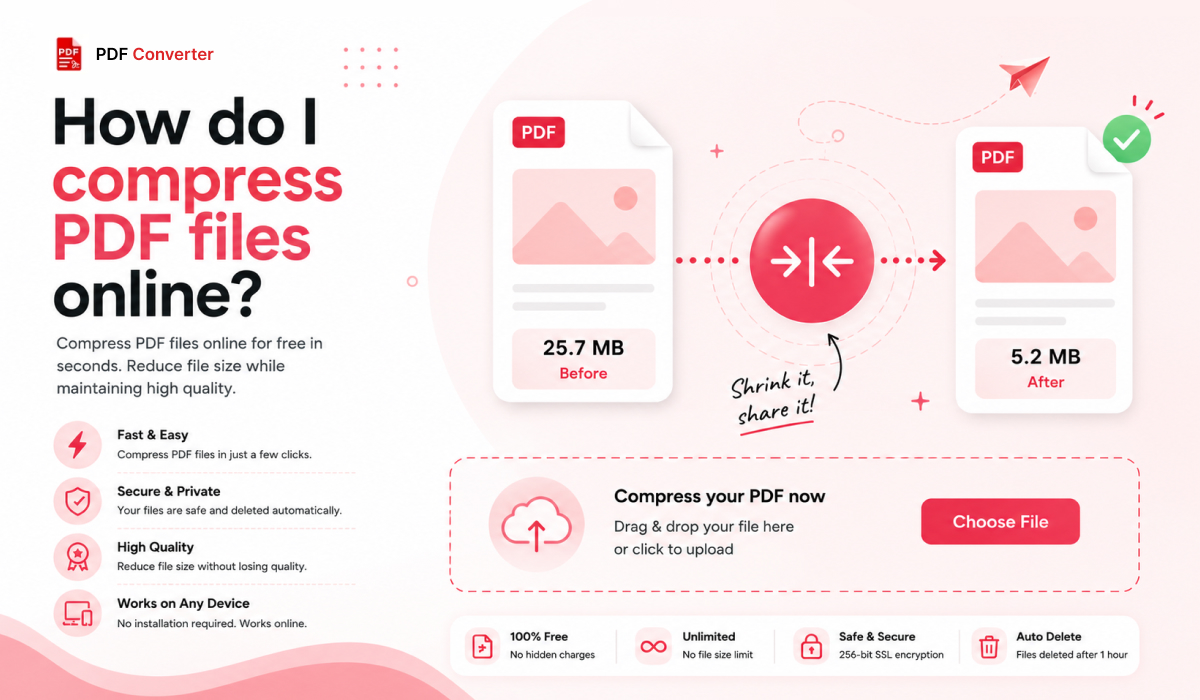
Nothing is more annoying on any workday than sending a heavy PDF and having it bounce back. The solution is easy. Compress the PDF online, reduce its size, and share again. It is pretty simple: no software installation, no account creation, done in a few seconds.
Most people don't know how much a PDF expands in size simply by being emailed. Files may grow in size by around 33% during email transmission. This is due to the Base64 encoding. That implies a 20 MB PDF may quietly eat up more than 27 MB of your attachment limit before it even gets to the receiving end.
Plus, Gmail limits attachments to 25MB, Outlook to 20MB, and many corporate servers to only 10MB. PDF compression fixes this quickly, freely, and without touching a single word of your document.
What Does Compressing a PDF Actually Do?
A PDF stores more than just text and pages. It carries high-resolution images, embedded fonts, metadata, and leftover data from every time the file was saved or edited. All of that adds weight.
When you compress a PDF file, a good tool quietly cleans this up. It re-encodes images at a sensible resolution, strips data that serves no purpose, and tightens the file structure.
Why Do People Need to Compress PDF Files Online?
Email Limits
You hit send. The email bounces back. Most of the time the issue is the large size of PDF. Reducing its size before sending takes just a few seconds and saves a lot of back and forth.
Upload Restrictions
Most government portals, university systems, and legal platforms cap uploads at 2 to 5 MB and will not budge. If your file is heavy, chances of rejection increase. Compressing the PDF is the fastest and easy fix.
Slow Sharing
A 15 MB PDF takes noticeably longer to send and open than a 3 MB one. On mobile or a slow connection, that frustration adds up quickly.
Storage Costs
Cloud storage fills up quietly. Businesses with years of invoices and contracts feel it most. A habit of compressing PDF files online before saving keeps storage costs under control without any extra effort.

How to Compress a PDF in 3 Steps?
The PDF Edit reduces PDF file size online in three simple steps:

Step 1: Upload Your PDF
Drag your file or browse it. No login, no setup, nothing to install.
Step 2: Select Your Compression Level
Choose light to preserve quality, strong to maximize size reduction, or standard for most everyday files.
Step 3: Download Your File
Your compressed PDF is ready. It opens in every viewer, attaches to any email, and uploads to any platform.
That is genuinely all there is to it.
What to Look for in a PDF Compressor Online?
Before trusting any online PDF compress tool, check these four things:
Quality Preservation
The text stays crisp, and images remain clean enough for their purpose. A tool that cuts size by making everything blurry is not useful. The output must still be readable and presentable.
Processing Speed
A dependable online PDF compress online tool returns your file in seconds, not minutes. If it is slow on a small file, it will be painful on a large one.
Secure File Handling
PDFs often carry sensitive information, including contracts, payslips, and tax documents, as well as medical records. The tool must not store your files after your session ends. Check this before uploading anything confidential.
Free Without Registration
You should not need to enter an email or create an account just to compress a PDF file. Good free tools handle this without asking for anything. If a tool pushes you to sign up before doing anything, look for a better option.
Why The PDF Edit Is the Right Choice?
The PDF Edit is developed for people who need fast results without the hassle. Here is why trying it is worth it:
Completely free with no hidden costs, trial periods, or watermarks on output.
Browser-based and works on any device, including laptop, tablet, and phone.
No registration is required, so you can go from landing on the page to download your file without entering an email.
50+ PDF tools in one place so you can compress, convert, merge, split, edit, and sign without switching websites.
Image-heavy PDFs reduced by 60 to 80% with content staying completely intact.
Text-heavy PDFs reduced by 10 to 20% with full readability preserved.
No switching between tools. No paying for features that should be free. No wasting time on setup.

Compress Your PDF Now
Large PDFs cause consistent, avoidable problems. Emails bounce. Portals reject your upload. Storage fills up faster than it should. Compressing PDF files online solves all three in under a minute.
Compress and Edit PDF files free with a The PDF Edit Our tool requires nothing from you except your file. Try it now!
Related PDF Tools
Ready to Try These Tools?
All PDF Converter tools are free, require no signup, and process files directly in your browser for maximum privacy.